
Website Tips
Is Your Business Website Ready for Fall? An August Website Maintenance Checklist
August is an ideal time to review your business website before the busy fall season. Use this practical checklist to improve security, speed, content, backups, and customer experience. small business website maintenance checklist
Published August 20, 2026 · Updated September 7, 2026
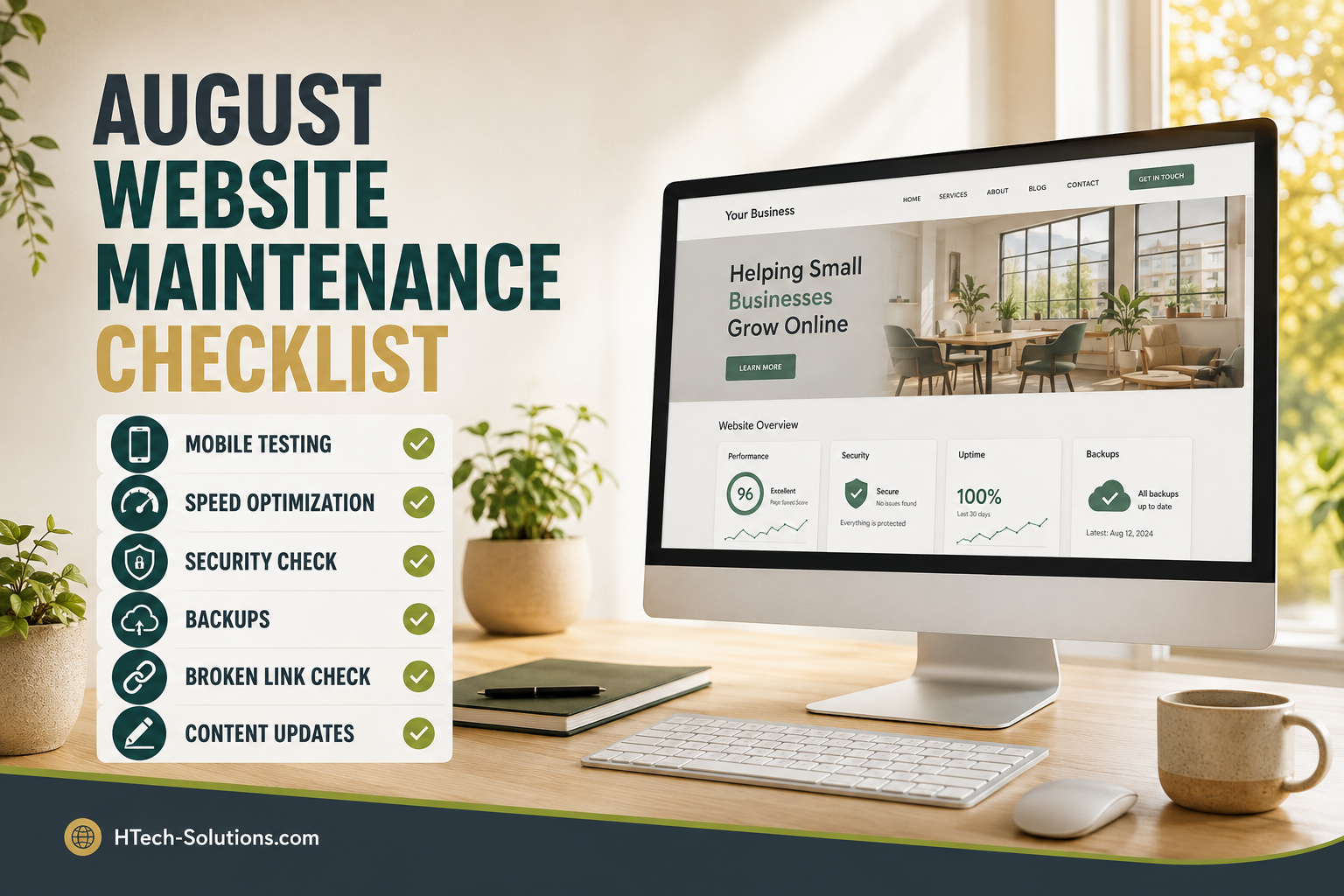
Summer is winding down, customers are returning from vacations, and many businesses are preparing for a busier fall season. That makes August an excellent time to review your website and correct small problems before they begin costing you visitors, leads, or sales.
Your website does not need a complete redesign every year, but it does require regular attention. Broken links, outdated information, slow pages, missing backups, and expired contact details can quietly damage a customer’s confidence in your business.
Use this August website maintenance checklist to make sure your website is ready for the months ahead.
1. Review Your Contact Information
Start with the information customers use to reach your business.
Check your:
- Business phone number
- Email address
- Street or mailing address
- Hours of operation
- Contact forms
- Social media links
- Maps and driving directions
Submit every contact form yourself and confirm the message arrives at the correct email address. A form can appear to work even when its messages are being filtered, rejected, or delivered to an old account.
If your fall or holiday hours will change, begin preparing those updates now.
2. Check Every Important Link
Broken links frustrate visitors and can make an otherwise professional website feel neglected.
Test links in your:
- Main navigation
- Footer
- Service pages
- Blog articles
- Contact buttons
- Client portal
- Social media icons
- Downloadable forms
Pay special attention to links leading to pricing pages, order forms, appointment systems, and customer login areas. These are often the most valuable paths through your website.
Google also recommends using normal, crawlable links and making important pages reachable from other pages on your site. This helps both customers and search engines find your content.
3. Update Outdated Content
Read through your website as if you were a first-time customer.
Look for:
- Services you no longer provide
- Old pricing
- Former employees
- Discontinued products
- Expired promotions
- Outdated photographs
- Incorrect copyright dates
- Seasonal information from last year
Your homepage should quickly explain what your business does, who it serves, and how someone can take the next step.
Updating older content can also give you opportunities to add useful internal links to newer service pages and blog articles.
4. Test Your Website on a Phone
A website that looks good on a desktop computer may still be difficult to use on a smaller screen.
Open your website on a phone and check:
- Whether the menu opens correctly
- Whether text is easy to read
- Whether buttons are large enough to tap
- Whether images fit the screen
- Whether forms are easy to complete
- Whether phone numbers can be tapped to call
- Whether important content appears without excessive scrolling
Google uses mobile crawling by default, so a usable mobile website is important for both visitors and search visibility.
5. Review Website Speed
Customers should not have to wait for oversized images, unnecessary scripts, or outdated software to load.
Common causes of slow websites include:
- Images uploaded at full camera resolution
- Too many WordPress plugins
- Poorly coded themes
- Outdated PHP versions
- Excessive tracking scripts
- Low-quality or overcrowded hosting
- Missing browser caching
Test several pages, not just the homepage. Product pages, galleries, blog articles, and contact pages may perform differently.
Google’s Core Web Vitals evaluate loading performance, responsiveness, and visual stability. These measurements can be reviewed using PageSpeed Insights or Google Search Console. Google Web Vitals guidance
6. Confirm That Backups Are Working
A backup is useful only if it contains current files and can be restored.
Confirm that your backup system includes:
- Website files
- Databases
- Email, when applicable
- Configuration files
- Recent changes and uploads
You should also know where backups are stored and how long they are retained. Keeping every backup on the same server as the live website creates unnecessary risk.
HTech-Solutions uses JetBackup 5 to provide dependable account backups, but website owners should still understand what is protected and maintain additional copies of especially important business data.
7. Strengthen Account Security
Review every account that can modify your website, hosting, domain, email, or billing information.
Remove access for former employees and contractors. Replace reused passwords with unique passwords and enable multifactor authentication wherever it is available.
CISA recommends enabling MFA for business systems, beginning with administrative accounts and accounts that handle sensitive information. CISA small-business MFA guidance
Also confirm that your domain registration information is current and that renewal notices are being sent to an email address you actively monitor.
8. Check SSL and Software Updates
Your website should load securely using HTTPS without certificate warnings.
If your site uses WordPress or another content management system, review:
- Core software updates
- Theme updates
- Plugin updates
- PHP compatibility
- Unused themes and plugins
- Security scan results
Delete extensions that are no longer needed. Every unnecessary plugin adds more code to maintain and potentially introduces another security risk.
Static websites generally require fewer updates, but their forms, external scripts, analytics, and third-party services should still be tested.
9. Review Your Search Visibility
Search for your business name and several important services you provide.
Check whether the results show:
- The correct page title
- An accurate description
- Your current business information
- The preferred version of your domain
- Recently published pages
- Unwanted or outdated pages
Make sure your sitemap is current and submitted through Google Search Console. Google recommends sitemaps as a way to help it discover new and updated URLs. Google Search Central
10. Prepare Your Fall Content
August is the right time to prepare fall promotions, announcements, service updates, and holiday information.
You might create:
- A seasonal service page
- A fall promotion
- A frequently asked questions page
- A new customer guide
- A case study
- A helpful blog article
- Updated photographs of recent work
Publishing useful content consistently gives customers another reason to visit your website and creates more opportunities for your business to appear in relevant searches.
A Small Checkup Can Prevent Bigger Problems
Website maintenance does not have to become a major project. An hour spent reviewing links, forms, backups, security, and content can uncover problems before customers encounter them.
If your website is slow, outdated, difficult to manage, or no longer represents your business, Htech-Solutions can help. We provide dependable business hosting and modern website redesign services built for small businesses.
CTA link: Explore HTech-Solutions Business Hosting